
Adding Speed Types
You can create different classes of speed types.
-
Click Tools > Speed Wizard, or click the Speed Wizard button:
The Speed Wizard dialog box appears.
-
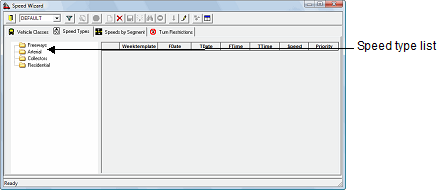
Click the Speed Types tab which shows a list of all available
speed types.
-
Right-click a folder to which to add a speed type list, and then click
New. The Speed Type dialog box
appears.
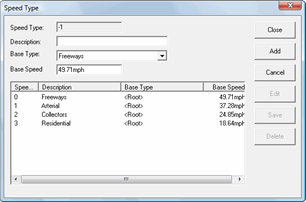
- In the Description field, type a name for the new speed type.
- Optional:
In the Base Type field, click a base speed type in the list.
If a base speed type is selected, the new speed type inherits speeds for all vehicle classes from the base type. If a base speed type is not selected, speeds for all vehicle classes are set to 0 for the new speed type.
- In the Base Speed field, type an average vehicle speed for the speed type.
- Click Add.