Viewing and Changing Buffer Properties
You can change the appearance of buffers in the Buffer Properties dialog box.
-
In the Spatial Analysis screen, do one of the following
steps:
- Click .
- Click the Setup button:

The PLAN Options dialog box appears. -
In the Existing frame, click
Properties.
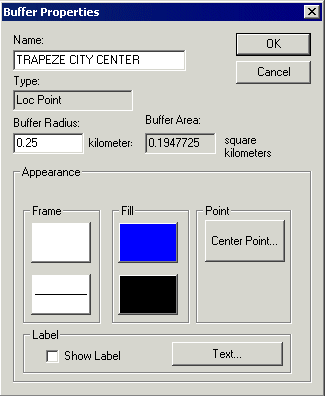
The Buffer Properties dialog box appears.Note: The contents of the Appearance frame in the Buffer Properties dialog box vary slightly depending on the buffer type you selected in step 2. Compare the contents of the Buffer Properties dialog box as shown in the following graphics:
Figure 1. Buffer properties for Fixed Routes 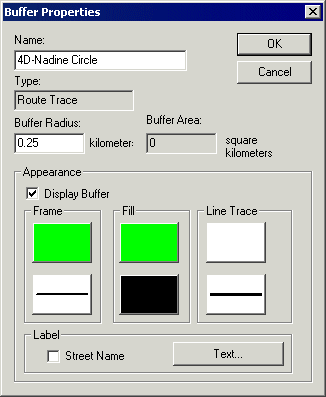
Figure 2. Buffer properties for Polygons 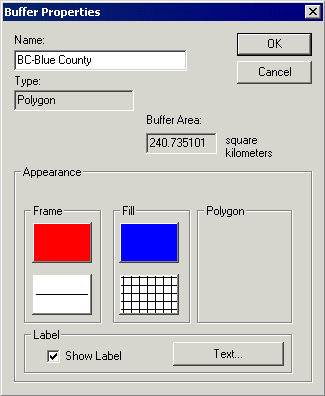
Figure 3. Buffer properties for Locations