Place text in quotation marks for exact match search results.
Searching for Feedback in the COM Representative Screen
You can search for feedback with the Find Feedback feature in
the COM Representative screen. (This procedure is also know as setting the
context in the COM Representative screen.)
In the COM Representative screen, do one of the following steps:
Press F3.
Click Context.
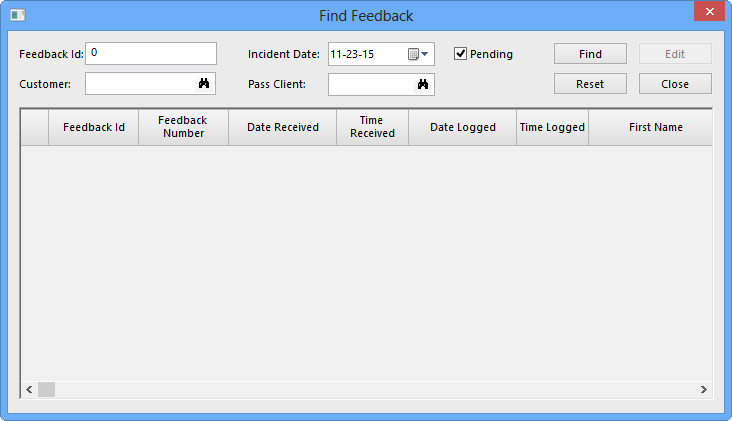
The Find Feedback dialog box opens.
Select your search criteria. The options are:
Feedback Id: If you are looking for a particular feedback
record or set of feedback records (feedback with more than one associated subject),
enter a feedback identification number.
Customer: Type the customer’s name.
Incident Date: Choose the date of the incident by clicking
the calendar icon.
Pass Client: Enter the name of the PASS client.
Pending: Select this check box to view feedback which has
pending responses.
If you do not to type any search criteria, all records are displayed.
Click Find.
The results are displayed in the grid.
To clear the search criteria and start a new search, click Reset.