
Selecting Input Fields for the COM Representative Screen
You can set the input fields for the COM Representative screen in the Customize dialog box.
-
Do one of the following steps:
- On the main toolbar, click the Customize Grid button:
 .
. - Right-click anywhere on the screen. From the shortcut menu, choose Customize.
The Customize dialog box appears.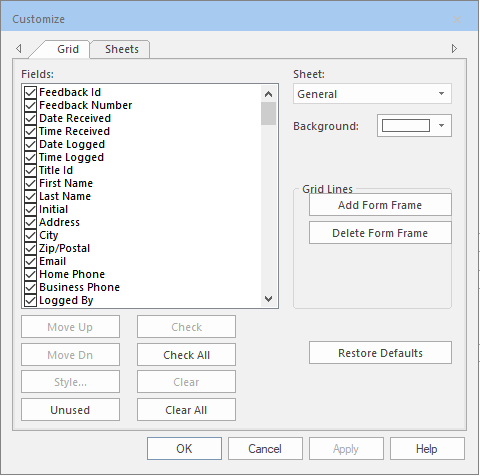
- On the main toolbar, click the Customize Grid button: