
Adding or Limiting Tables to View
To add to or remove tables from the COM History screen, use the Audit filter in DbEdit.
- In the DbEdit screen, open the database that you want to edit.
- In the left pane, select the table whose history records you want to view.
-
In the bottom frame of the left pane, select
History from the Audit dropdown list.
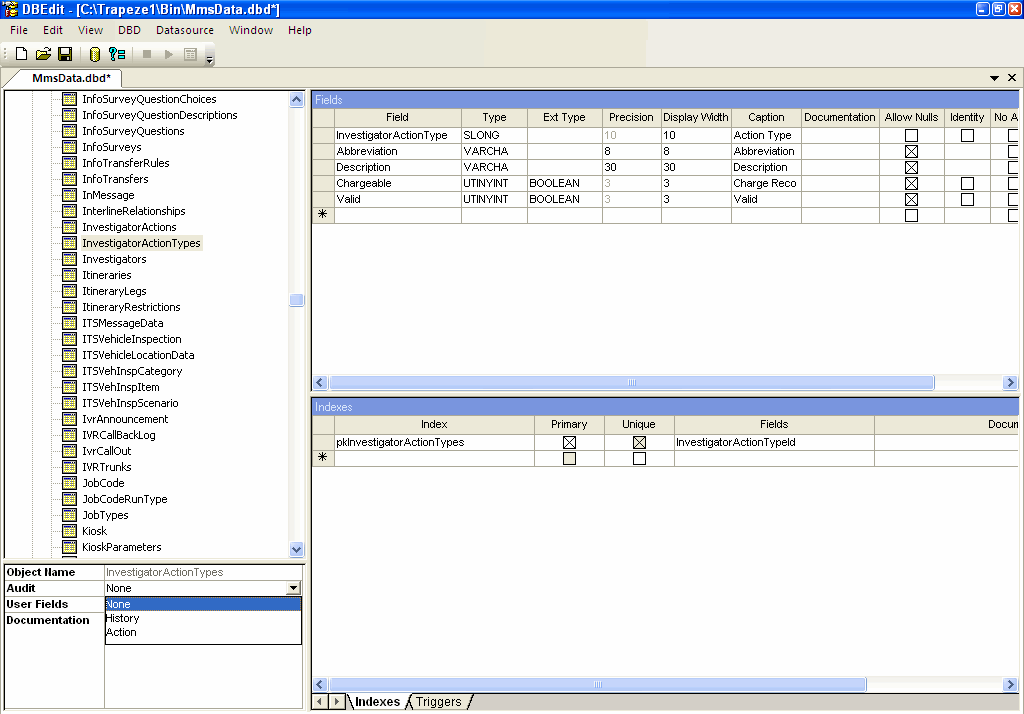
-
Click the Save button:

- Optional: To remove the history audit records of tables that you do not require from COM History, follow steps 1,2 and 3, then select None from the Audit dropdown list.