
Viewing Financial Penalty Fields in COM Screens
You can view financial penalties information on the COM Investigator or COM Representative screen..
- Open the Screen Information screen.
- Press F3 to open the Context dialog.
- From the View Name dropdown list. select ComplaintsDetailView.
- Add the penalty-related fields that you want.
-
Click the Save button:
 The following graphic shows sample fields that have been created and added in the Screen Information screen: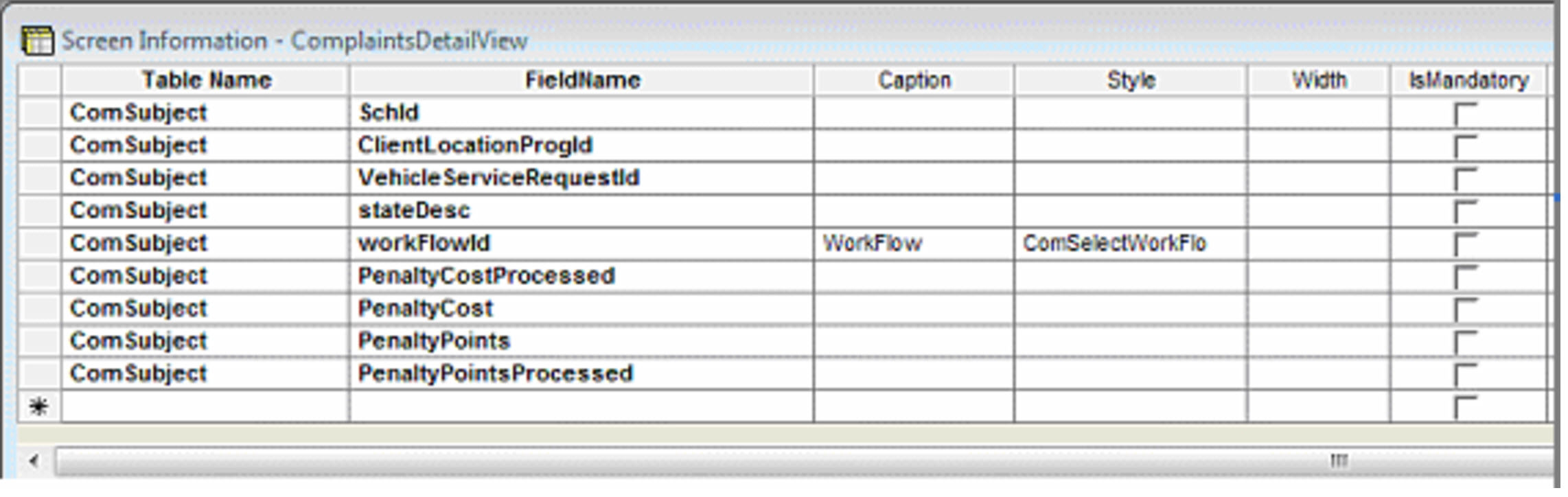
- Close the Client Shell.
- Relaunch the Client Shell and open the COM Representative or COM Investigator screen.
- Depending on how your screen is set up, open the sheet or pane where you want to add the Financial Penalty fields.
- Place your pointer on the pane where you want to add the field and right-click.
-
From the shortcut menu, select Customize.
The penalty-related fields are shown in the Fields list.
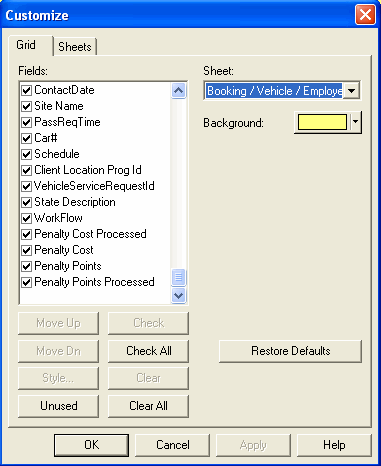
- Select the fields you want to include in the screen.
- Click OK.