
Receiving Phone Calls
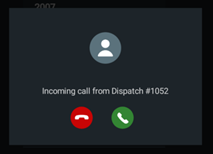
When you have an incoming call, an audible ring is played through the tablet speakers and a message notification also appears on the screen.
About this task
Procedure
-
You can choose to answer or decline the call:
- To answer the call, tap the Accept (green) icon.
- To reject the call, tap the Decline (red) icon.
If you accept the call, the Status screen appears.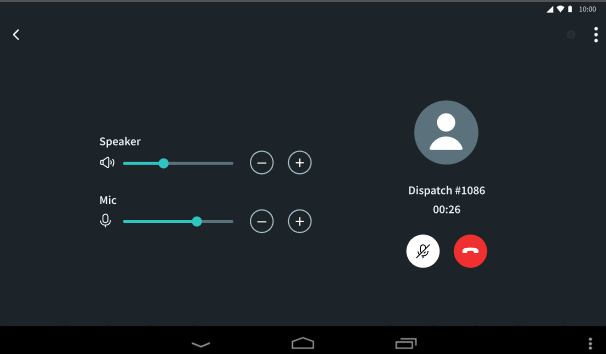
- Optional: Adjust the Speaker volume of the call as desired.
- Optional: Adjust the Mic sensitivity of the call as desired.
-
To end the call, tap the red icon.
Note: If the vehicle is in motion and the drive screen is enabled, you will not be able to make VoiP calls. Dispatch, however, will still be able to call you. If you answer the call, the drive screen is displayed and the only option shown is the red icon, which allows you to end or disconnect the call.