
Conventions Available in FLEX for Selecting Data
Use these conventions to better your search and selection of data in FLEX.
As you work in various task screens, the following are some global conventions which
will assist you as you search for and select data during a procedure:
| Command | Desciption |
|---|---|
| Forward slash (/) | Used in some fields to generate a list of options from the database. For example, in the From Node field in the Node to Node tab in the Blocking screen, enter the forward slash to generate a complete list of nodes. |
| Single letter | Used in fields with pull-down menus to generate a list of options from the database which match the letter you entered. For example, in the Node to Node tab of the Trip Building screen, enter an “a” in the From Node field to view a list of all nodes beginning with “a”. |
SHIFT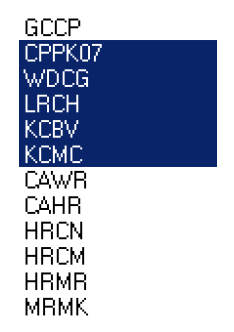 |
Used to select more than one item in a menu or list, when those items are consecutive. |
CTRL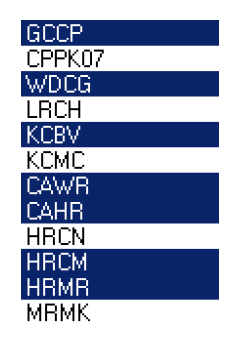 |
Used to select more than one item in a menu or list, when those items are not consecutive. |