About the Workstation Screen
There are basic components from the Trapeze4 workstation screen you need to know.
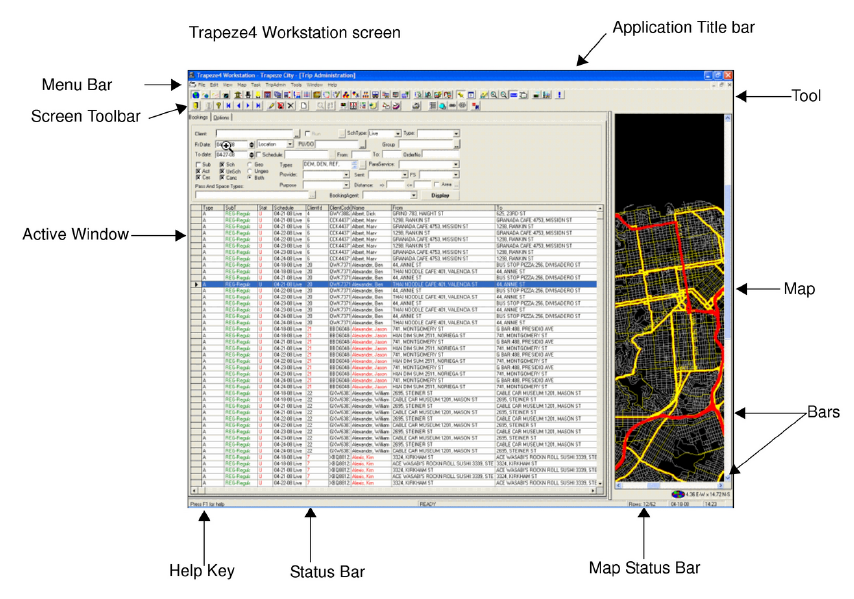
The following are the basic components of the Trapeze4 workstation:
-
The application title bar displays the application you are currently using (Trapeze4 Workstation), the database (e.g., Ann Arbor), and the active window (Trip Administration).
- The menu bar and the main toolbar are transfixed and can not be altered or relocated.
-
The system map can be turned on and off. Under the View menu, choose System Map or click the System Map button.
-
The active window is always displayed on the left side of the screen. The screen toolbar disappears when there is no active window and the options in the screen toolbar vary according to the screen you have opened.
The following graphic illustrates the Trip Administration screen in the Trapeze4
Workstation. The heading, Trip Admin is in the Menubar between Task and Tools. The menu
contains all options available for the Trip Administration screen: