
Setting the Mode in FX
Set up the active sign-up period before proceeding with the rest of your data input. This is also referred to as setting the context.
Before you begin
The mandatory fields are shown in bold type. These fields vary slightly among the main FX and Trapeze PLAN screens.
Procedure
-
Click or press F3.
The Set Mode dialog box opens:
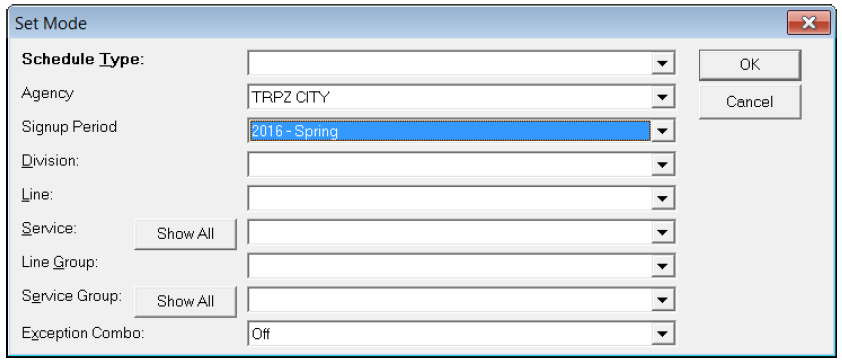
The example shows the Set Mode dialog box when the Runs screen in PASS is displayed.
- (If applicable) In the Agency drop-down box, select the appropriate agency.
- Select the appropriate values in the mandatory fields. Following the example shown, in the Schedule Type drop-down box, select Template.
- Click OK.