
Creating Sign-Up Periods for Multiple Agencies
Sign-up periods define the length of time over which a schedule applies; these are often seasonal.
About this task
Procedure
-
Click .
The Sign-up Periods dialog box appears.
-
To assign an agency to an existing sign-up period, select a record and click
Edit.
The Edit dialog box opens:
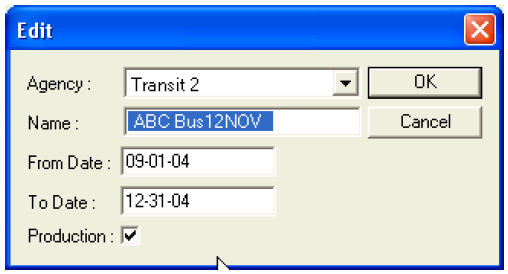
- In the Agency drop-down box, choose an agency.
- In the Name box, type a name for the sign-up period.
- In the From Date and To Date box, type the dates to create the date range of the period.
- Select the Production check box to set the period as production ("streetable").
- Click OK.
- Repeat this procedure to create each additional sign-up period.
- In the Sign-up Period dialog box, click Close.