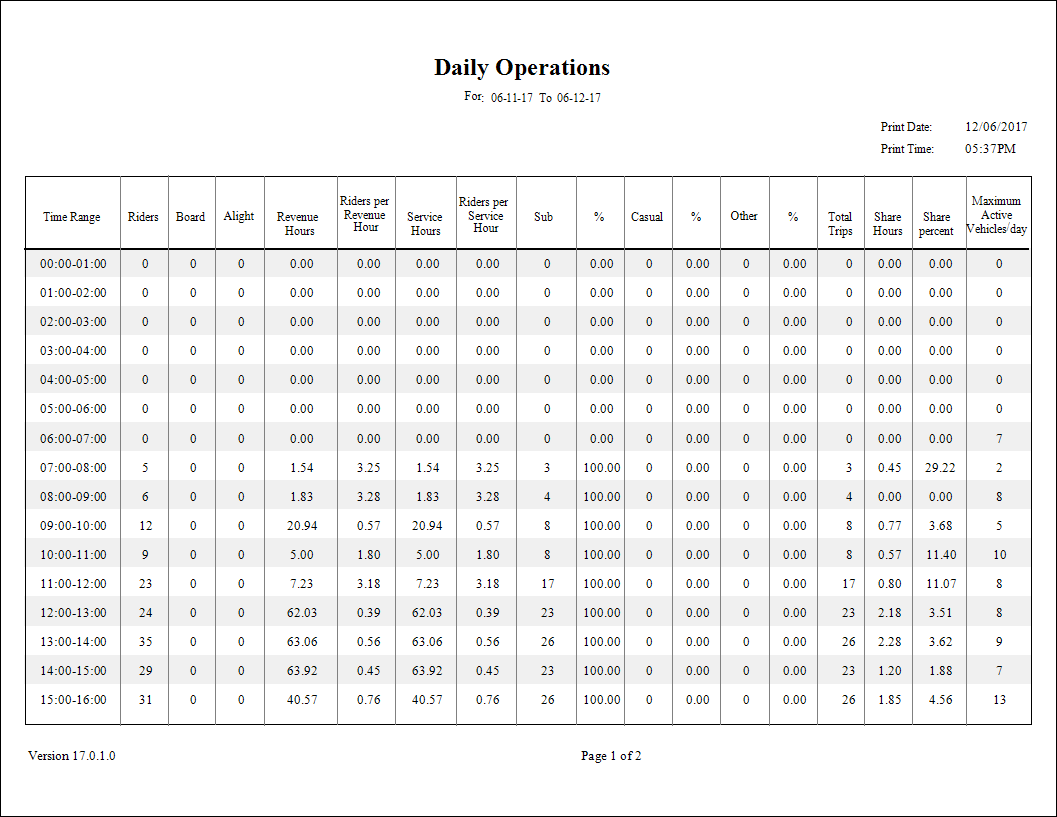
Daily Operations (FLEX) Report
The Daily Operations report shows operational characteristics of a site broken down by the hour.
| Parameter | Description |
|---|---|
| Type | Schedule type. Note: The report can only be run for live schedules. |
| Date/Weekday | Specifies whether the report is for specific dates or days of the week. Choose
the option appropriate for the schedule type:
|
| From Route | First route in the report. |
| To Route | Last route in the report. |
| Sort Time | Sort order used in the report:
Note: The Sort Time should be set to the Est Time or the time that is entered in
the Schedule Editor. For example, do not sort on actual arrive time if you have not
entered these times. |
| Providers | If All is selected, records for all providers appear in the report. If All is cleared, select individual providers from the list. The options available to you depend on provider security. |