
About Configuring Switches
Schedule Server switches are configured in the Trace Options dialog box accessed through the Schedule Server (SchedSrv) application by clicking .
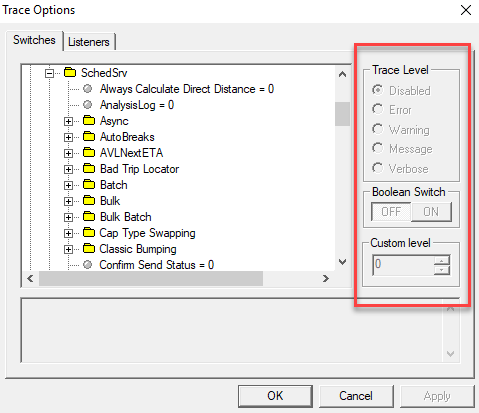
All switches and sub-switches are listed alphabetically in their folders. Each configuration for a switch or sub-switch allows you to disable or enable a switch, set a range for a switch, or define the level of events required for logging. Although this tab contains switches for several processes and applications, this document focuses only on those in .