
Setting the Custom Level Values
For switches that must be set within a certain range, you must specify a numerical value for the switch.
About this task
Switches that have been set at a custom level are shown with the following icon
beside the switch:  .
.
.
Procedure
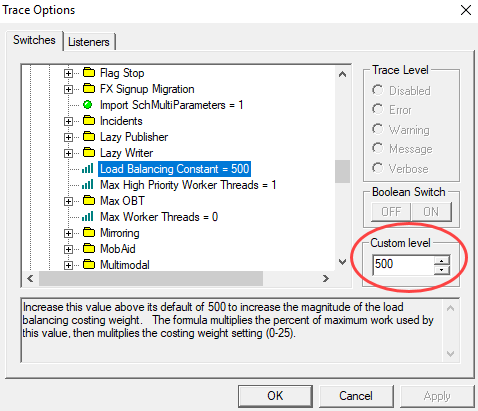
- In the Trace Options dialog box, enter the number in the Custom level box.
- Click Apply.