
Setting Default Solution Sets
A default solution set for general use can be defined in Trapeze6 properties.
Before you begin
About this task
Procedure
-
Do one of the following:
- Click .
- Click the Properties button:

Depending on how the system is configured, Properties may not be found under Tools.Trapeze6 Properties appears. -
Expand .
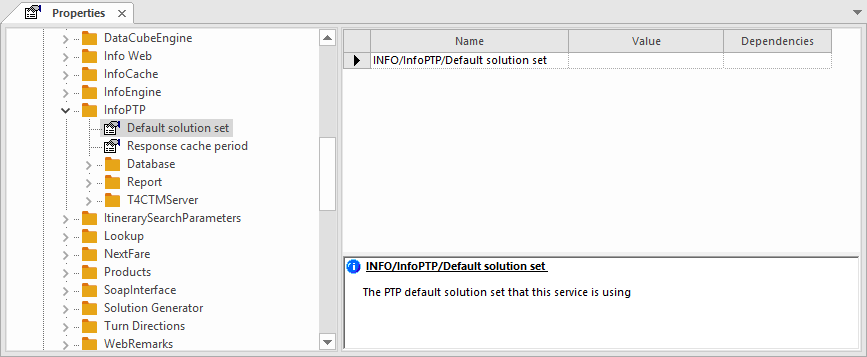
-
Specify the name of the solution set to be used as the default.
You do not need to enter any dependencies.
Default solution sets are used by the Trapezez6 Service Shell for general case solutions. The solution sets that will be used as defaults for PASS trips are those defined in the Trapeze4 Workstation (in , on the Profile tab, under , or in SolutionSetDO and SolutionSetPU, if individual drop-off and pick-up solution sets are defined). They are provided to the Service Shell by PASS.
-
Click the Save button:
