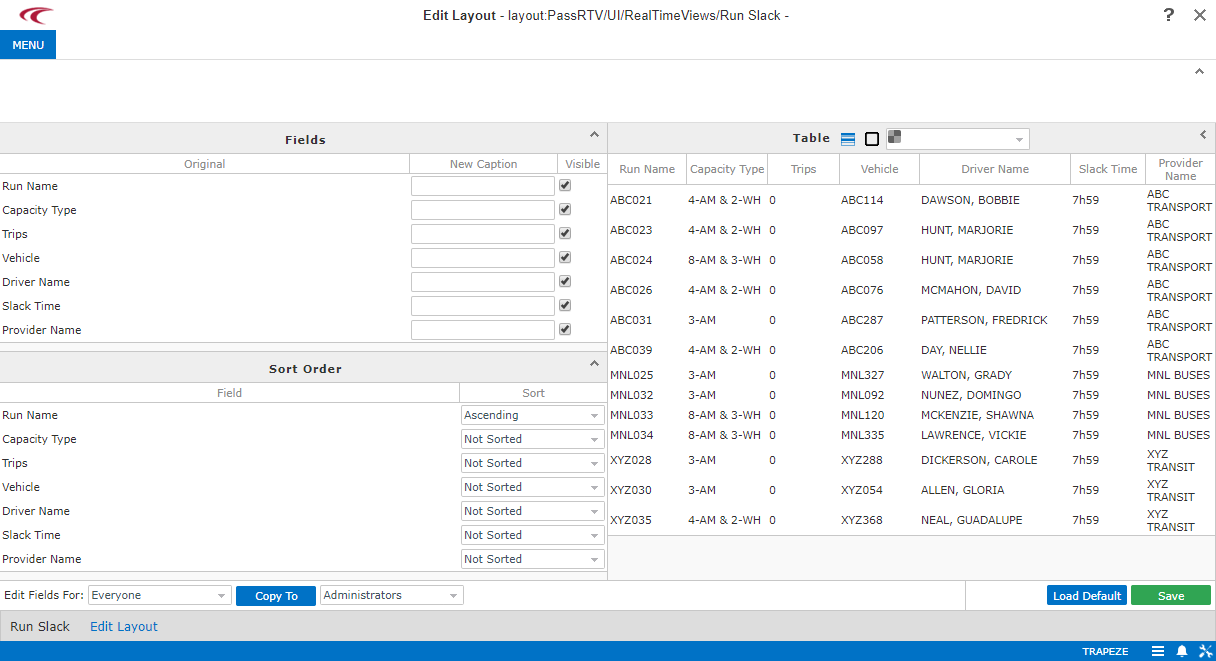
Opening the Edit Layout Screen
You can customize the appearance of each view by specifying the columns, column order, sort order for records, and grid appearance using the Edit Layout screens.
About this task
Procedure
- Open the real time view that needs updating.
-
In the lower-left corner, click Settings.

-
Click ViewName Layout.
The Edit Layout screen appears. If the Field Configuration screen appears, you cannot specify the grid sort order. However, you can specify which columns appear and in what order.The fields that appear depend on which view layout you are configuring.