Merging Two Client Records
When multiple records exist for a client, they can be merged into a single surviving client record.
Before you begin
About this task
Clients suppressed using the Client Suppression Wizard can be tracked in the Tracker Action Browser. The track action is PASS/ClientSuppression. Track actions must be defined in Tracker Actions ancillary data before they can be used.
Procedure
-
Locate and select the client records to be merged.
Use CTRL to select multiple client records.
-
Click the Client Suppression Wizard button:

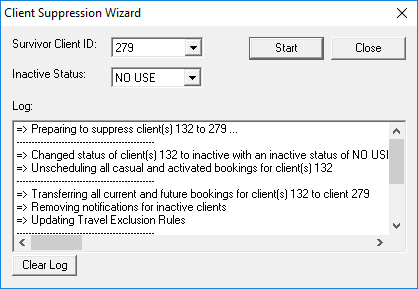
The Client Suppression Wizard appears. - Select the client ID to be used as the Survivor Client ID.
- Select the Client Inactive Status to be applied to the other client records.
-
Click Start.
The Log shows a summary of all of the changes made during the suppression.