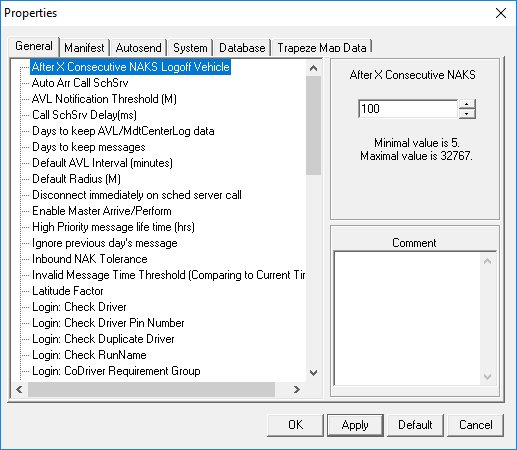
Opening MDT Server Properties
These properties determine how the MDT Server operates such as data flow controls.
Before you begin
About this task
Procedure
Do one of the following:
- Click .
- Click Server Properties:

- In the Trapeze4 Workstation, click . On the Profile tab, click MDT Server.
The Properties dialog box appears. In the Trapeze4
Workstation, the General, Manifest, and
Autosend properties can be accessed in a tree structure.