
Using the Shortcut Option
You can set up parameters to automatically log each day’s log file for the MDT Server.
Procedure
- Create a shortcut to the MDT Server on your desktop.
- Right-click on the newly created shortcut icon.
-
On the shortcut menu, select Properties.
The Properties dialog box appears.
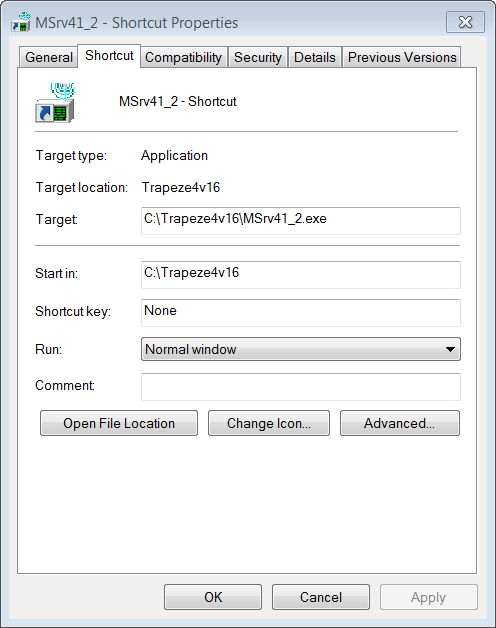
- Select the Shortcut tab.
-
In the Target field, type the command line parameters after the
target information.
Table 1. Sample Parameter Values for Creating Short Cuts Parameter Value /autolog = yes /autologdrive = <drive> = c: or d: or other letter /autologpath = <pathname> = the full path without the drive or log filename /loglevel = <n> =from 0 (off) to 9 (trace level 5) Bold text indicates the parameters that have been added to the target information.
- Click Apply.
- Click OK.