Place text in quotation marks for exact match search results.
About the Permissions Screen
The Permissions tab is available when you create a user or group
account or when in Edit mode.
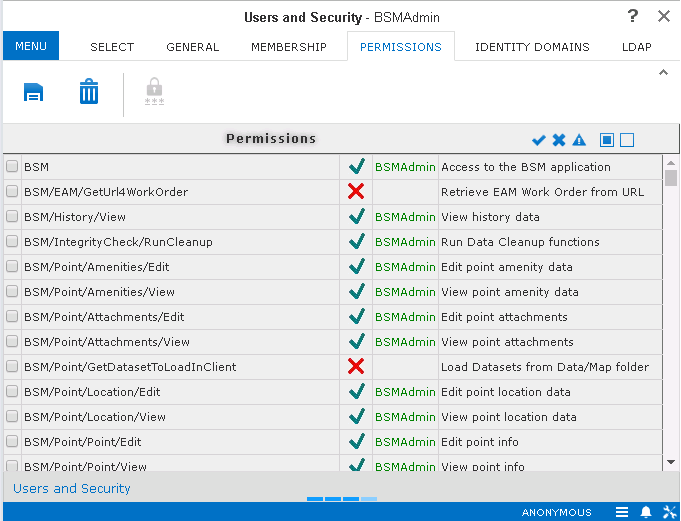
The Permissions tab shows the screens and functions to which the user or
user group can be granted permission.
The third column on the screen shows the type of permission that applies for the selected
user or group.
A green check mark appears for each permission that is granted to the user or
group.
A red X appears for each permission that is denied to the user or group.
The fourth column shows the user group from which the permission is inherited. The
sample graphic shows that the granted permission is inherited from the BSMAdmin group,
which is shown in green. In case, a permission is denied at the user level, the user name
is shown in red.