
Checking BSM Data Integrity
The Integrity Check feature enables you to check for missing or inconsistent data.
-
Click Settings, and then click Integrity
Check in the Admin list.
The Integrity Check screen appears.
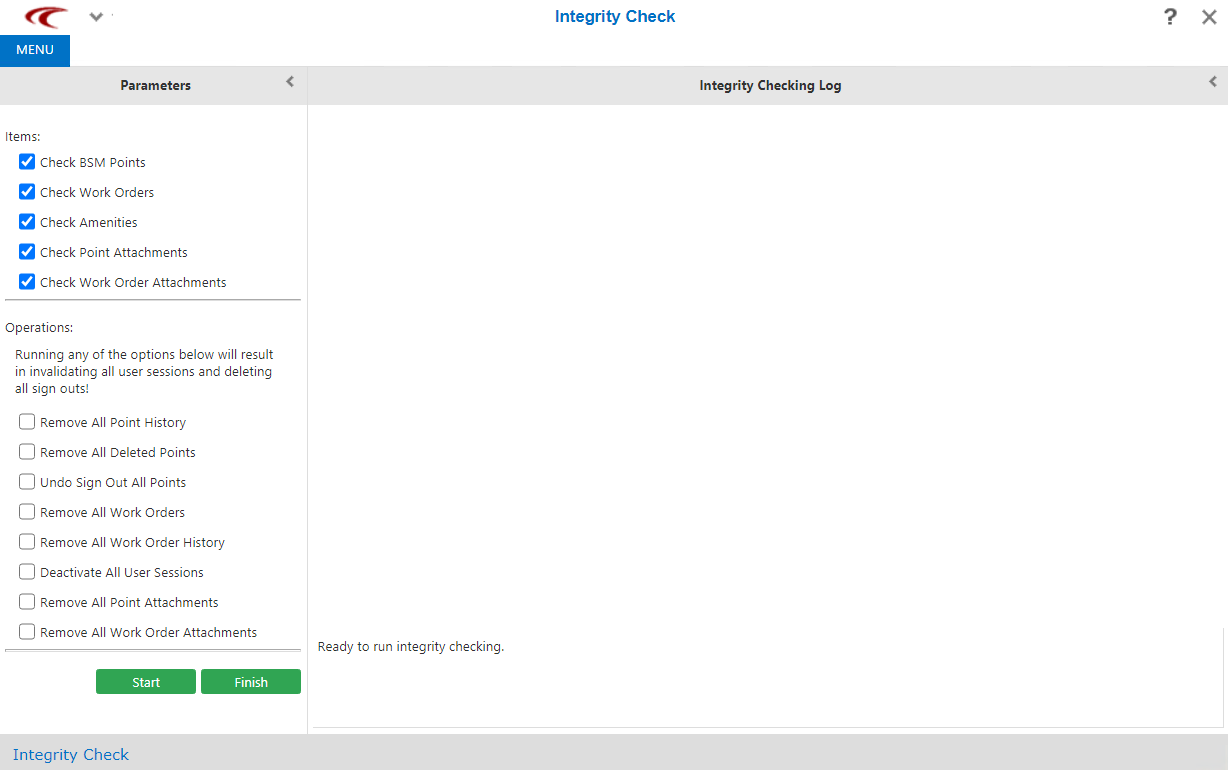 The following options in the Items list of the Parameters pane are selected by default:
- Check BSM Points
- Check Work Orders
- Check Amenities
- Check Point Attachments
- Check Work Order Attachments
- Optional: Clear the options in the Items list that you do not require to be performed.
-
Click Start.
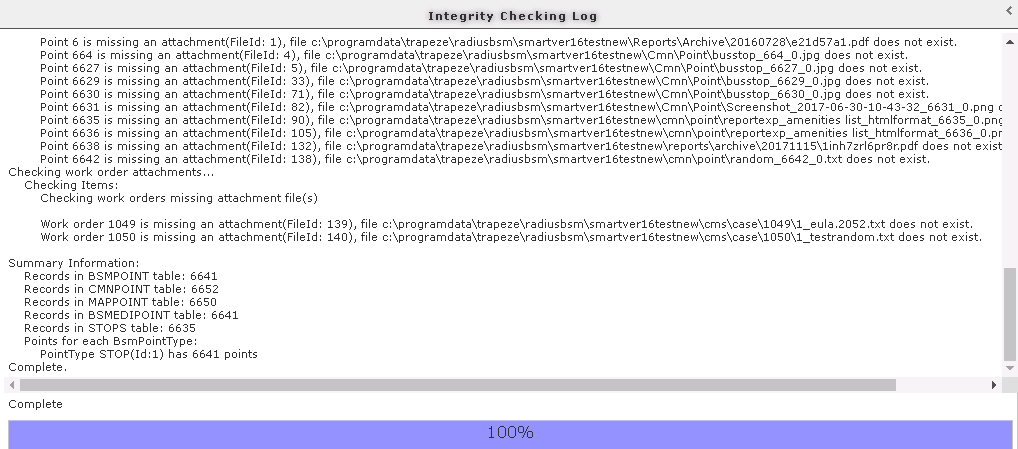
The Integrity Checking Log pane shows the data with errors, for example, missing or invalid. At the bottom of the Integrity Checking Log pane, the Summary Information shows the total number of records that have been checked for each category.The following graphic shows sample summary information:
- Optional:
To save the log, click Save Log.
The log is saved as an xml file.Note: The Save Log button only appears beside the Finish button when you run a process.
- To exit the screen, click Finish.