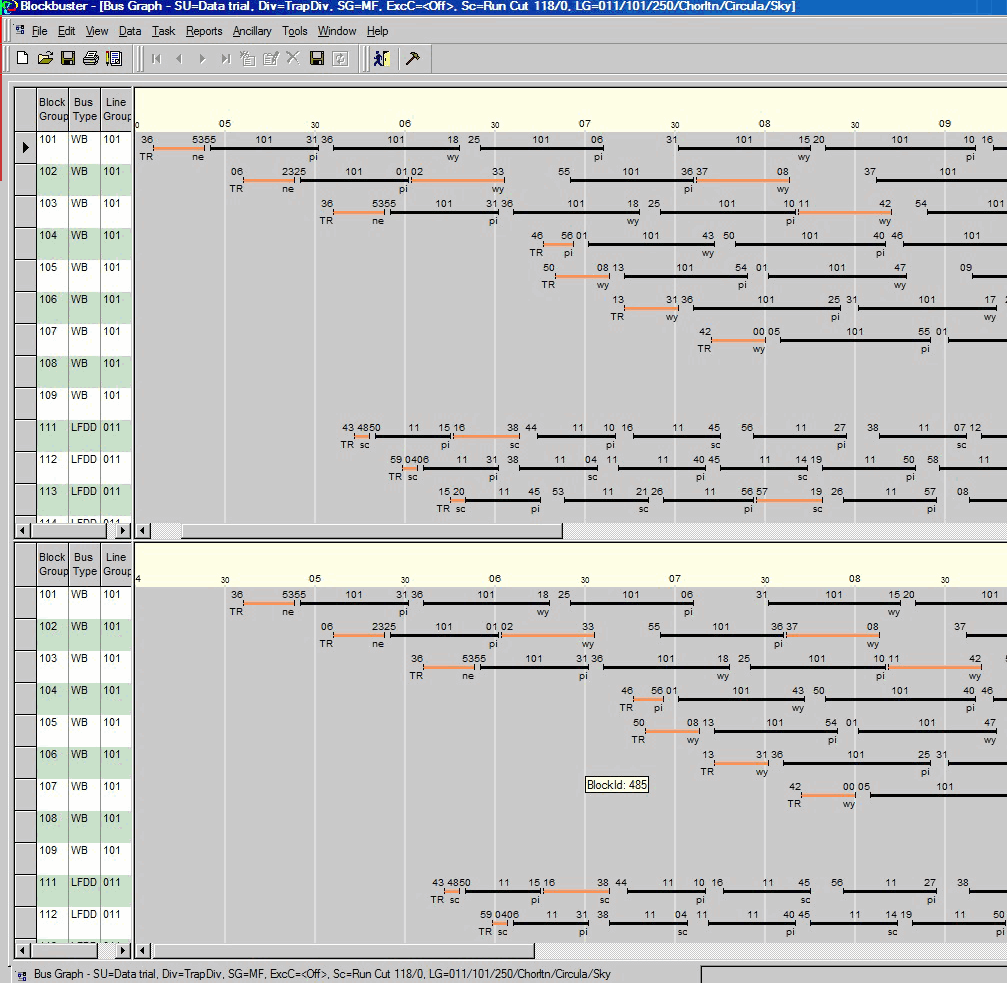
Split screens show the upper and lower halves of the screen.
If you have a large number of blocks which can not be viewed on a single screen, split the screen and scroll through the two sections independently of each other. View one block in the top half and the other block in the bottom half.
Split screens are used when editing blocks, for example, swap trips between two blocks that
cannot be viewed on the same screen at the same time.