
Assigning Garages to Your Divisions
Assigning garages to divisions is an important step that ensures rostering is done correctly— for example, operators assigned to a run begin work (potentially) from the correct garage.
You can assign a garage to a division in the Divisions screen.
- In the Divisions dialog, select a division in the Divisions frame.
-
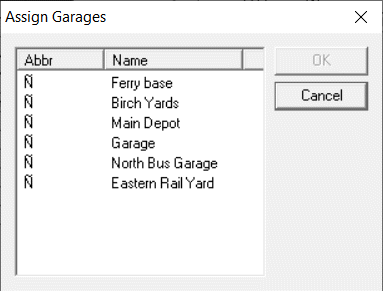
Click Assign. The Assign Garages dialog
opens.
-
To select a garage, perform one of the following steps:
- Click the garage you want.
- Press CTRL and click the garages you want if you want to assign more than one garage to the division.
- Click OK.