
Editing Nodes Supplementary Data
On the Nodes tab of the Route Definition screen, you have the option of editing the supplementary data associated with a node in the Edit dialog when you add or edit a node.
-
Click the Edit button:
 The Edit dialog appears.
 -
Click Edit Sup Info.
The Edit Supplementary Info dialog appears. (You can resize the dialog to what is appropriate for you.) It has three tabs:
- Node: Shows nodes supplementary data (not dependent on settings)
- Stop: Shows stops supplementary data (not dependent on line).
- Line: Shows any supplementary data fields that are applied to
the node. for a specific line and direction.
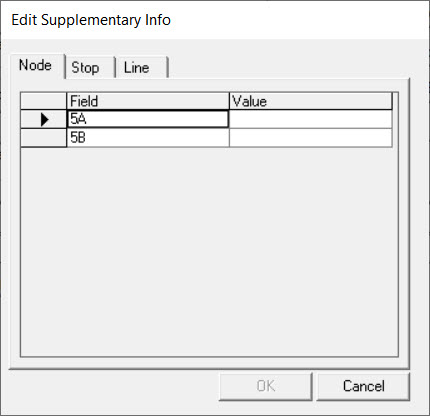
- Edit the values as required.
-
Click OK.
There is no supplementary data available for stops. When you select a stop on the grid, and click Edit Sup Info, the Edit Sup Info dialog appears with a statement on this.