
Replacing Garage Deadheads with Trips
The Replace Garage Deadheads with Trips tool is used to change garage (pull-out/pull-in) deadheads into trips before runcutting.
- Click . The Extended FX Data Tool appears.
- In the Service list, choose the service you want. The default is set at <All> for all lines.
-
To select more than one Service, choose
<Custom>.
The Select Service dialog appears.
-
Select Replace Garage Deadheads with
Trips.
The Create Trips option is selected by default.
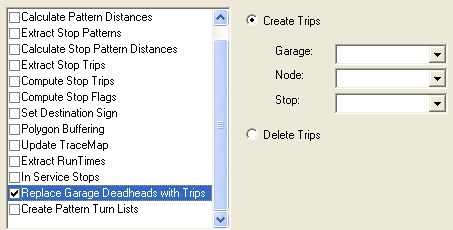
- In the Garage list, select the appropriate garage.
- In the Node list, select the appropriate node that will replace the garage.
- In the Stop list, select the appropriate stop that is associated with the node.
- Click Execute.
-
Click Close.
In a multi-agency environment, garages are grouped by agency. The garages associated with a specific agency are shown in the Garage list. If you are changing to a different agency to reassign other garages, you must exit the workstation and log on again.