
Using Set Mode Fast
Use the Set Mode Fast feature when you want to change the mode (context) quickly while working on a specific screen.
-
Perform one of the following steps:
- With the screen open, press SHIFT+F3.
- Click .
The Set Mode dialog appears.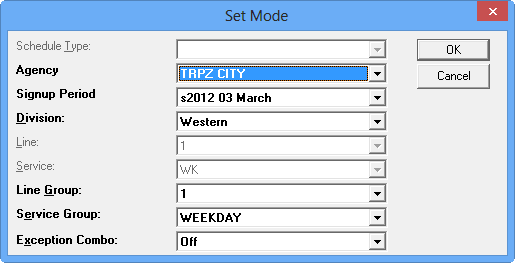
For example, if you have the Blocking screen open and you press SHIFT + F3, the Set Mode dialog shows that some of the fields appear shaded as shown in the graphic. Only the fields that are needed for the active screen are enabled.
- Optional: To make changes to the mode, edit the appropriate fields.
- Click OK.