
Viewing Runs with the Run Cutting Tool
Use the Run Cutting Tool to view the various types of runs according to service group and division and to force a run into a particular run type.
-
Click .
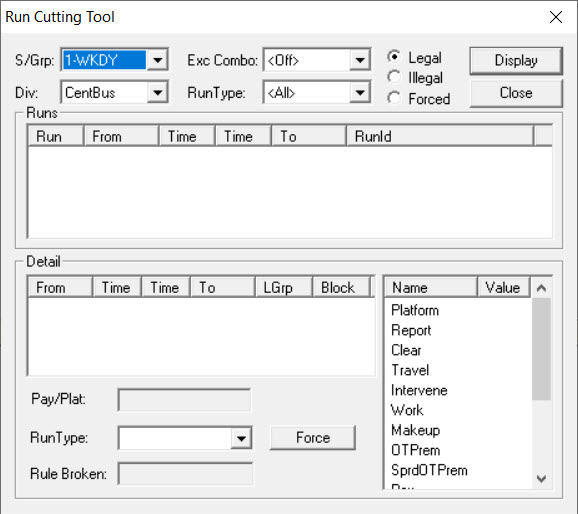 The Run Cutting Tool dialog appears.
 -
Click the run types you want:
-
Legal
-
Illegal
- Forced
-
- From the S/Grp dropdown list, select the service group you want.
- From the Div dropdown list, select the division you want.
- From the RunType dropdown list, select the run type you want.
-
Click Display.
The runs are shown in the Runs frame.
- Select a run to show its details in the Detail frame.
- Click Close.