
Opening Find Closest Wizard
Open Find Closest Wizard to search for vehicles, stops, locations, client addresses, or events within close proximity to a specific address.
Do one of the following:
- Click .
- Press F8.
- Click the Find Closest ... Wizard button:

- Click the Find Closest option in the
interface.For example, in Common Locations, on the Detail tab.
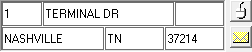
Depending on how the Find Closest Wizard is launched, the address fields
may already be populated.
Input fields in the Find Closest Wizard dialog box vary depending on the
type of search that is launched. The search type is specified in the
drop-down list on the right side of the dialog box, for example, Vehicles,
Stops, or Clients.
