Place text in quotation marks for exact match search results.
Setting Thresholds for Viewing Features
Zoom thresholds can be specified to display street types and other features on the map.
An example of Zoom thresholds is that residential streets can be specified to be shown
only when the East-West and North-South span values are less than 20 miles, and Arterial
streets to be shown when the East-West and North-South span values are less than 50
miles.
The current map span appears at the bottom right section of the
MapEdit screen.
Click Map > Layer Control.
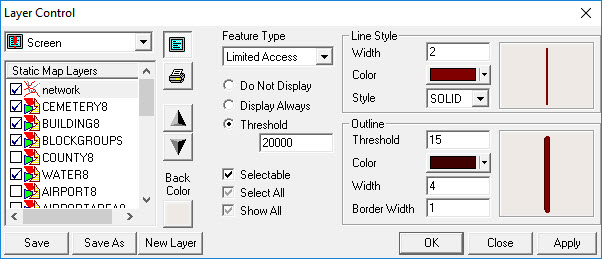
The Layer Control dialog box appears.
In the Feature Type drop-down list, click the road or other
feature type for which you want to specify a threshold.
Click one of the following options:
Display Always - Makes the feature type always
visible.
Do Not Display - Hides the feature type.
Threshold – Displays the feature type only when the map
appears at a specific threshold. For example, the Limited Access
feature type appears at a threshold of 20000 and lower. At a greater threshold than
this, it is not displayed on the map. (The threshold unit is meters.)
To make all feature types visible, double-click the Show All
check box (the gray check mark turns black).