
Editing Comment Codes

You can edit the abbreviation and Name of the selected comment code.

  1. Click File > Ancillary Data > Fixed > Ridership.
    The Ridership dialog box appears.
  2. On the Ridecheck Comment or Pointcheck Comment tab, select the comment code in the Comment codes frame.
  3. Click Edit.
    The Edit Ridecheck Comment dialog box appears with information in the Comment Abbreviation field and the Comment Name field for the selected type.
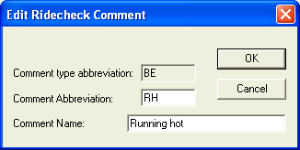
    Edit Ridecheck Comment dialig box
  4. Change the values as appropriate.
  5. Click OK.