
Workforce Management New Features
Workforce management enhancements have been added between v21.11 and v21.22.
- To improve performance, the maximum number of employees that can be loaded based on the Employee Profile screen Context (F3) is now 5000.
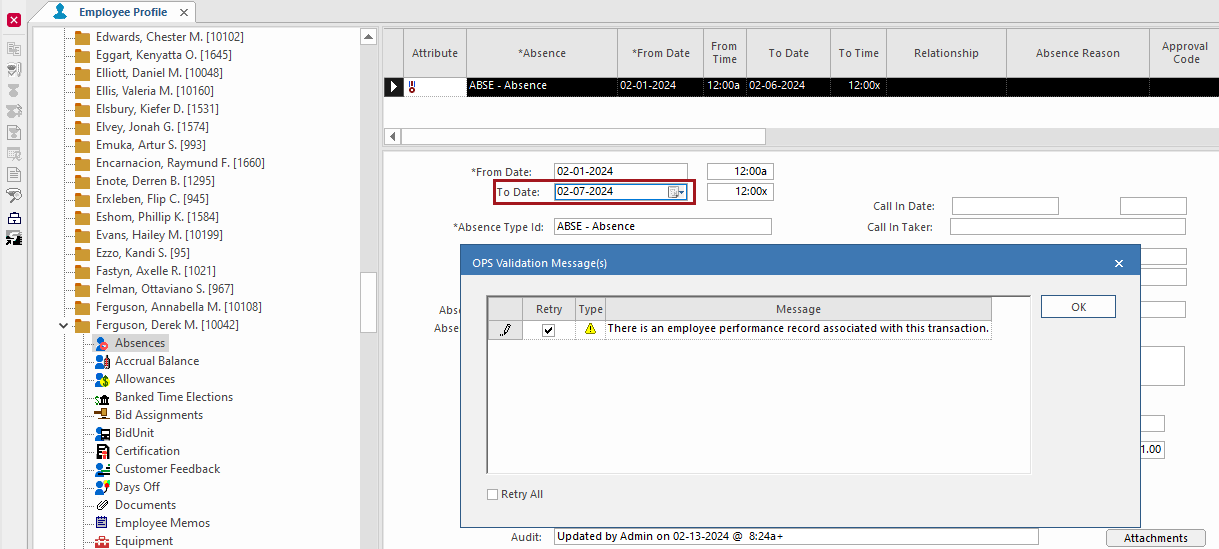
- The To Date of an absence record can now be updated when it has
an associated employee performance record.
-
A new OPS Work Assignment Rules Rule Type was added.

Weekly Minimum Regular Day(s) Off is used to create warnings to alert dispatchers when work is assigned to employees who should have a minimum number of days off in a work week. This includes regular days off and considers absences that count as work on regular days off.
Weeks are defined based on the property .
This rule is typically applied to Activate Day, Assignment Assistant, Daily Activity, and Work Planner. (Note that Activate Day applies the violation attribute to work in the Daily Activity screen. Violations are not included in the Activate Day log.)
Two new fields were added to the OPS Work Assignment Rules ancillary data screen to accommodate rule types that are not time-based: Severity (severity level of the violation: None, Warning, or Violation) and Quantity (minimum number of days off).
This rule is not a time-based rule and only the Details, Severity Level, and Rule Name columns are applicable in the Work Rule Progression dialog. Total Time, Threshold, Percentage Display, and Remaining Time show default system values.