
About the Publish Assignments Screen
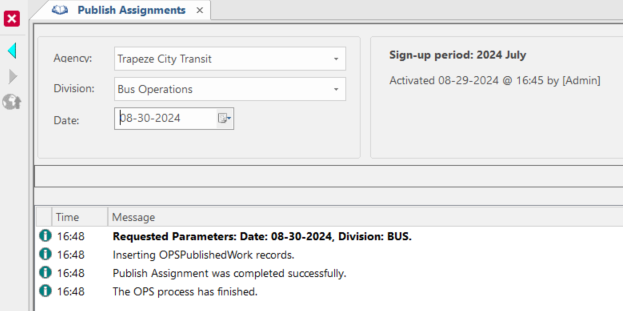
The Publish Assignments screen is used when all the work assignments for a day and division are complete.
If your transit agency uses OPS Work Assignment Notifications, employees can obtain their assignments after they're published.
| Button | Label | Description |
|---|---|---|
 |
Publish Assignments | Activated days are published with or without assignments. The log at the bottom of the screen lists the operators whose work is published. |
 |
Undo Publish Assignments | Roll back the published assignments. |
 |
Republish Assignments | Publishes changes made since the day was last published. |
The Publish Assignments screen has no Context. Before publishing, undoing, or republishing, select the desired Agency, Division, and Date for the work to be published.
A system administrator can schedule a PublishAssignments job in the OPS Job Configuration screen so that the system automatically performs the Publish Assignments function.