
Setting the Context for the COM Notifications Screen
Setting the context allows you to specify which notifications you want to view or edit.
-
Click .
The COM Notifications screen appears.
-
Click or press F3.
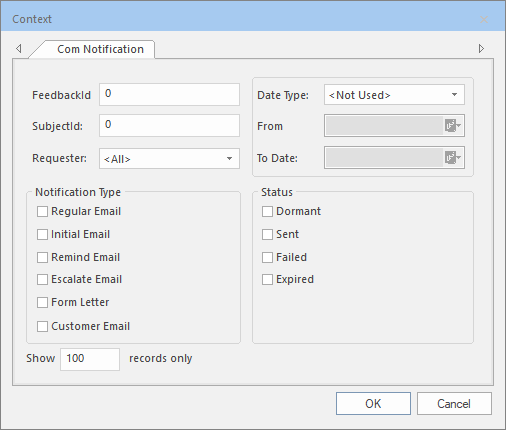
The Context dialog appears.
-
Select the options that you want to apply to search for notifications.
- FeedbackID
- Subjectid
-
Requester
-
Date Type
- From
- To Date
-
Notification Type
- Status
-
Dormant
-
Sent
-
Failed
- Expired
- In the Show xxx records only field, type the number of records matching your search options that you want displayed. The default is 100.
- Click OK.