
Sorting Notifications on the Grid
The Sort option allows you to view the data in an order different from the default or a previously set order.
- Place the pointer over any column header and right-click.
-
From the shortcut menu, click Sort.
The Sort dialog appears.
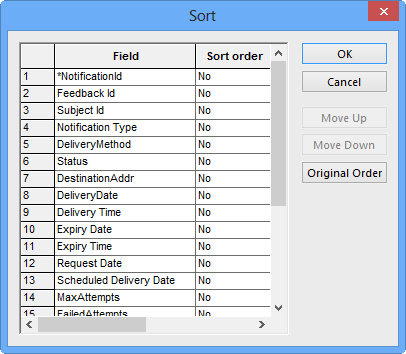
- Click the field by which you want to sort the data.
-
In the Sort order list, select one of the following options:
-
No
- Ascending
- Descending
-
- To rearrange the order of the fields, click the field you want to move and click the Move Up or Move Down buttons accordingly.
- To reset the order of the fields to the default, click the Original Order button.
- Click OK.