
Contact Occurrences by Employee Report
The Contact Occurrences by Employee report provides information on the actions taken regarding the employee involved in a feedback, for example, investigation on a complaint.
Parameters
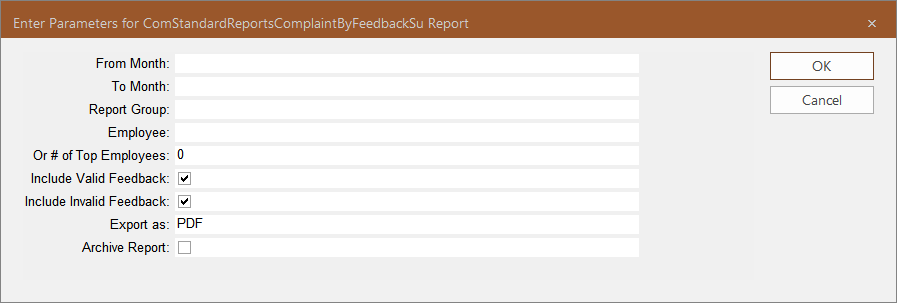
It can be based on a report group, specific employees, or a group of employees ranked according to how often they are mentioned in feedback reports.
| Parameter | Description |
|---|---|
| From Month | Month that the date range covered in the report starts. |
| To Month | Month that the date range covered in the report ends. |
| Report Group | Report Groups to which the employees mentioned in the feedback reports belong. |
| Employee | Employees mentioned in the feedback covered in the report. (Choose this parameter or the Or # of Top Employees parameter to determine the feedback reports included in the report. If you choose this parameter, only the feedback reports that mention the selected employees are included in the report.) |
| Or # of Top Employees |
Ranking of employees depending on how frequent they are reported, for example, if set to 10, feedback reports involving the top ten employees who are most frequently mentioned are included in the report. |
| Include Valid Feedback | If selected, only feedback with the selected Feedback subtype that is marked valid in the COM Investigator or COM Representative screen is included in the report. |
| Include Invalid Feedback |
If selected, only feedback with the selected Feedback subtype that is not marked valid in the COM Investigator or COM Representative screen is included in the report. Checking both Include Valid Feedback and Include Invalid Feedback options means that all feedback with the selected feedback subtype will be included in the report. |
| Export as | Format type of the report when exported – The options are:
|
| Archive Report | If selected, a copy of the report is saved so it can be later viewed in the Report Archive module. |
Sample Report
