
Printing Permissions For Users or User Groups

Hard copies of user and user group permissions can be printed.

The Trapeze6 Client Shell must be open.
  1. Do one of the following:
    • Click Tools > Security.

      Depending on your system setup, Security may be found in a different location.

    • Click the Security shortcut:
      A key with the word Security printer under it.
    The Security screen appears.
  2. Do one of the following:
    • Navigate to Security > Users.
    • Navigate to Security > User Groups.
  3. Click the user or user group for which to print permissions.
  4. Right-click in the permission key table.
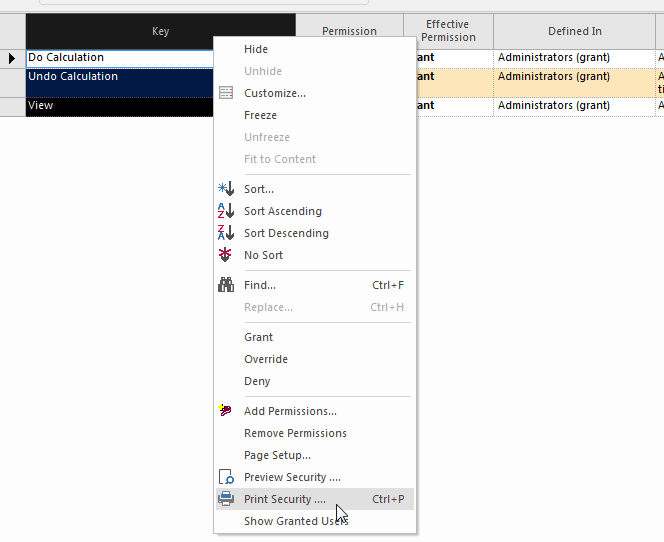
    Right-click menu of the permission key table with Print Security highlighted.
  5. Click Print Security.
  6. Choose a printer.
  7. Specify the printer settings.
  8. Click OK.