
Enabling the Solution Generator
The Solution Generator is a service that allows you to select the database engine that you want to use.
Before you begin
About this task
Procedure
-
Do one of the following:
- Click .
- Click the Properties button:

Depending on how the system is configured, Properties may not be found under Tools.Trapeze6 Properties appears. -
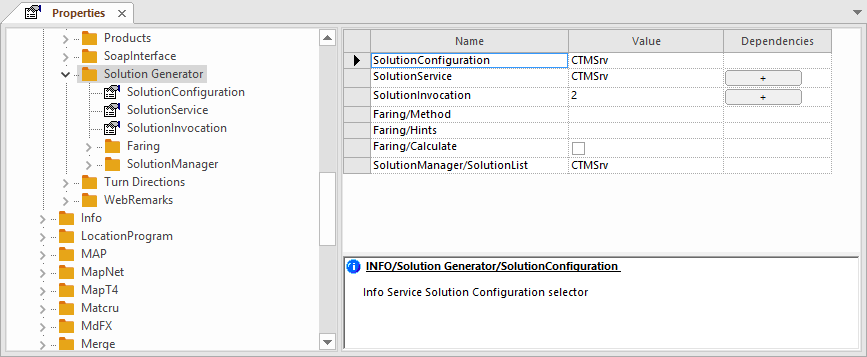
Expand .
There is also an Info folder. If you do not see Solution Generator, confirm you have expanded INFO, not Info.
-
Set the Solution Generator properties as follows:
For this Property... Do this... Type the aliases of the services that the Solution Generator can invoke. Typically, the list will look like this: T4CTMSrv,T4CTMEngine,T6,DataCube,ATIS,CWM
SolutionService In the Dependencies column, click the + button. Type the name of each alias and match them with their actual service names.
Typically, the list will look like this:
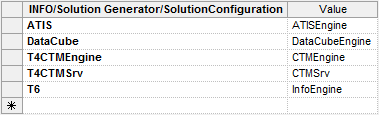
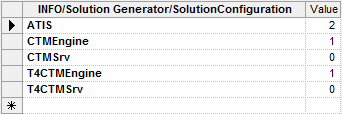
SolutionInvocation Click the + button in the Dependencies column. For each defined SolutionService, type the name of the service alias and specify when each service should be invoked:
- 0
- Deactivated.
This is the default.
- 1
- Invoke if no other results.
- 2
- Always invoke.
For example:
To configure faring using the Solution Generator, refer to the INFO-Agent System Administrator Guide.
- Click OK.