
Viewing Pending Subscription Records

You can narrow your search results to pending subscription trips.

Before you begin

Trip Administration must be open.

Procedure

  1. Select the Sub (Subscription) check box.
  2. From the connected drop-down list, select Pending.
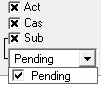
    In Trip Administration filters, Act, Cas, and Sub are selected and from the Sub list, Pending is selected.
    Pending subscriptions are subscriptions that have been marked as pending in Trip Booking on the Supplementary Data tab.
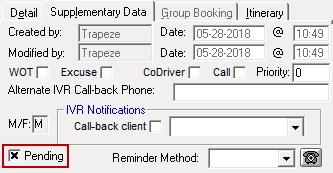
    In Trip Booking, the Supplementary Data tab is open and the Pending check box is selected.
  3. Type the Client name.
  4. Click Display.

Results

If you also created a return trip, two master files will be shown on the grid. The master record contains only the information from your subscription booking and cannot be scheduled to a run.