
Viewing Itinerary Details on the Clipboard Tab
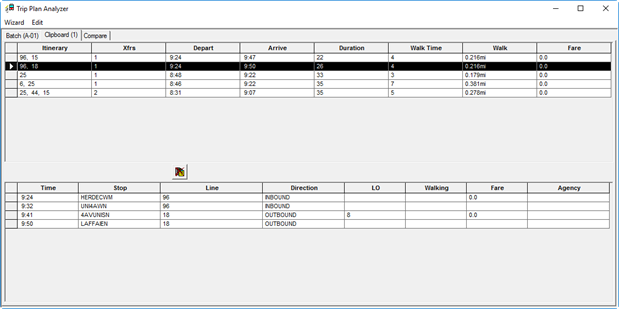
In the Trip Plan Analyzer Wizard, trip details can be isolated using the Clipboard tab.
Before you begin
About this task
Procedure
-
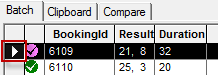
To view a specific trip on the Clipboard tab, on the
Batch tab, double-click the leftmost cell in the row:
The Clipboard tab is renamed Clipboard (1) to indicate one trip is available in the clipboard. -
Click the Clipboard (1) tab to view the itinerary options for
the copied trip.
-
To clear the clipboard, click the Delete All Itineraries From
Clipboard button:
