
Setting Up Schedule Server Event Publishing
In the Trapeze4 Workstation, you must set up Schedule Server event publishing.
About this task
Procedure
-
In the Trapeze4 Workstation, click .
The Properties dialog box appears.
-
On the Profile tab, click the plus (+)
sign beside the Pass Scheduling folder.
Pass Scheduling properties appear.
- Click Publish Events.
- Select Yes.
- Click Apply.
-
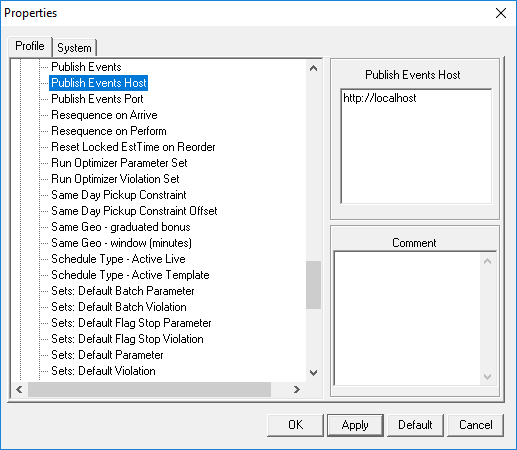
Click Publish Events Host.
-
In the Publish Events Host field, type
http://<IPAddress>:<Port>where <IPAddress> is the IP address of the machine where PASS Real Time Views is installed and <Port> is the port on the machine where PASS Real Time Views is installed for publishing events from the Schedule Server. - Click Apply.
- Click OK.