
About Schedule Editor
Schedule Editor is a powerful tool used to access trip information as well as to make schedule changes.
Schedule Editor allows you to perform the following tasks:
- Display loaded schedules, run itineraries, and client/booking information
- Manually edit a schedule, insert breaks and flag stops into a run itinerary
- Mark trips as canceled
- Schedule, reschedule, and edit bookings
- Mark the manner in which events are sent to drivers (for example, by voice), and record arrival and perform times for pick-up and drop-off events
Before using Schedule Editor, it is important to review and evaluate all property settings
related to it in the following locations:
- In , on the Profile tab, under PASS Scheduling
- In , on the Tools tab, under Schedule Editor
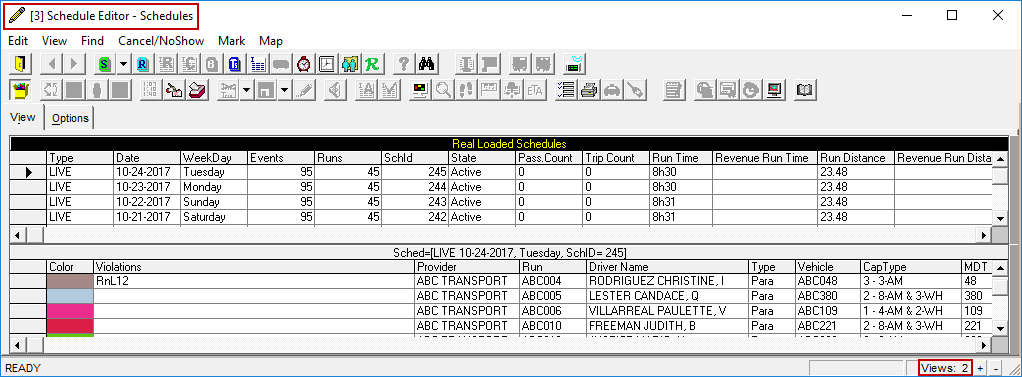
Up to five instances of Schedule Editor can be open at the same time and each window can hold up to three views.
The instance number appears in square brackets [ ] beside the title bar and the number of
views is noted in the lower-right corner of the window.
If other screens need to open Schedule Editor, the most recently active instance will be used.