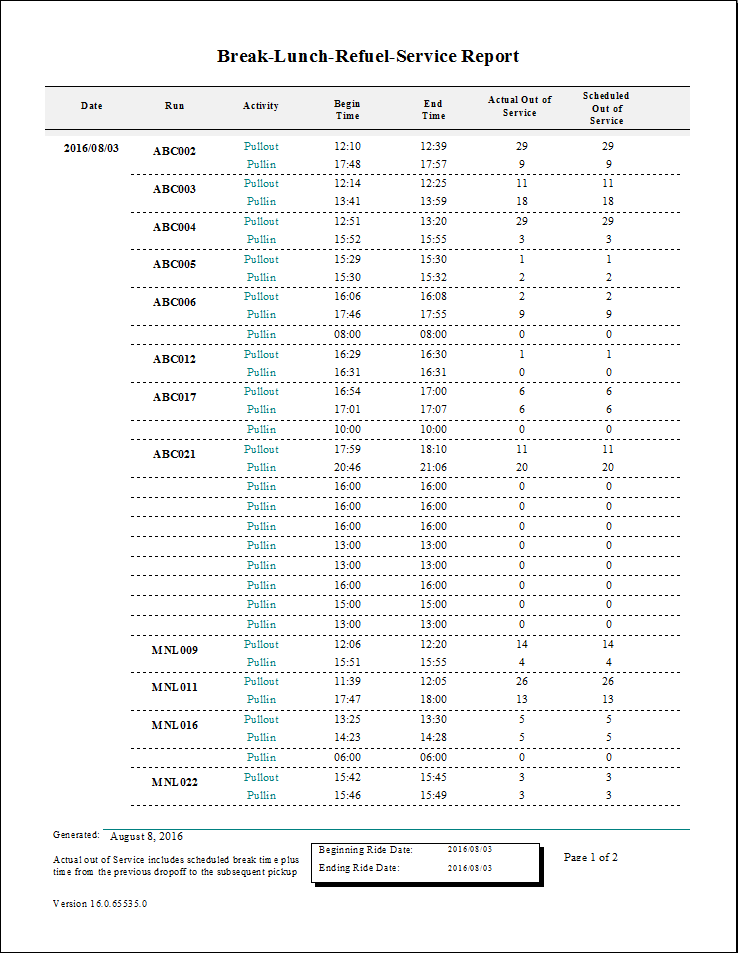
Break-Lunch-Refuel-Service Report
The Break-Lunch-Refuel-Service report shows break, lunch, and out of service records for any route that has them scheduled. The report shows the amount of break time scheduled on routes and the amount of slack time around the breaks.
| Parameter | Description |
|---|---|
| Type | Schedule type. |
| Date/Weekday | Specifies whether the report is for specific dates or days of the week. Choose
the option appropriate for the schedule type:
|
| Include Break Type | Break types to be included:
|
| Providers | If All is selected, records for all providers appear in the report. If All is cleared, select individual providers from the list. The options available to you depend on provider security. |