
Displaying Columns
You can choose the columns to be displayed in the different screens with the View Columns feature.
-
On the upper right section of the screen, click the button beside the name of
the active screen:
 The Columns Visibility list box shows the different columns available for the screen.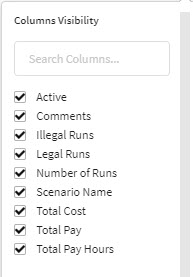
- Select or clear the check boxes of the columns that you want or do not want to be displayed on the grid.
- Optional:
To search for a column, type the name or part of the name of the column in
the Search Columns field.
The column names that contain the search term are shown on the list and appear selected. Clear the column names that you do not want displayed.
- Click anywhere outside of the list box to close the list.