
Using the Shortcut Menu
In some screens, you can access some of the commands by right-clicking and using the shortcut menu.
-
Right-click a field on the screen you want to modify.
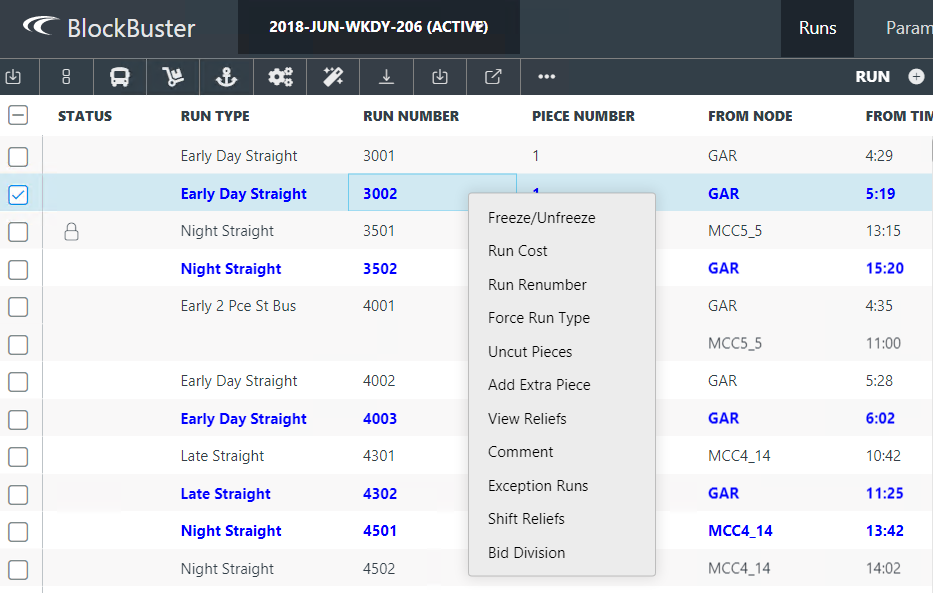
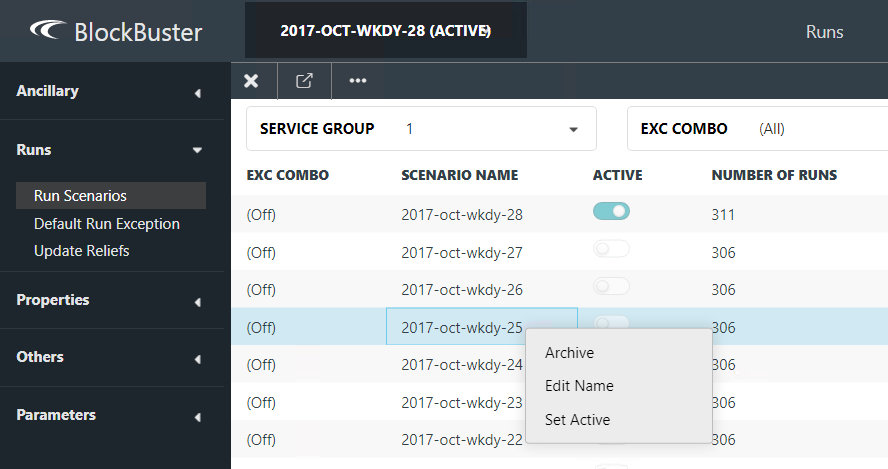
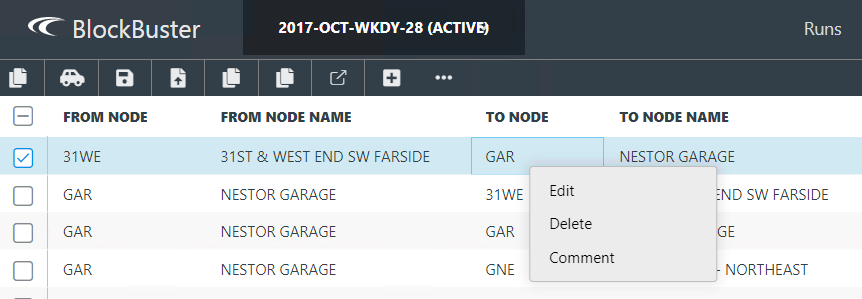
The following graphics show the screens that provide the shortcut menu.
This shows the shortcut menu in the Runs screen:
 This shows the shortcut menu in the Run Scenarios screen:
 This shows the shortcut menu in the Travels screen.
 This shows the shortcut menu in the Run Types ancillary data screen: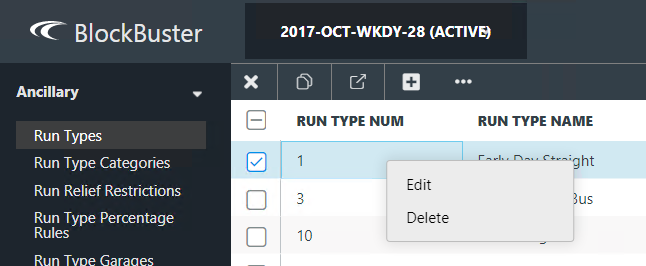
-
Click the option that you want to apply.
A message prompts you to confirm the selected action.
- Click the appropriate button, for example, Update if you chose Edit Name in the Run Scenarios shortcut menu.