
Setting the Default for Exception Runs
Before runcutting blocked pieces that contain exceptions, select an exception combination that is used for cutting the base set of runs.
- Appears most often in the sign-up period
- Contains the most platform time
- On the main ribbon, click Settings.
-
On the left pane, click .
The Default Run Exceptions screen appears. The exception combinations of the selected service group with which the selected exceptions are compatible appear in the Exception Combinations list.
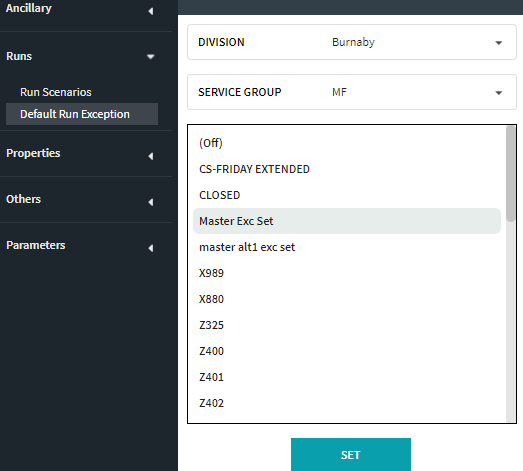
- Click the appropriate exception combination.
-
Click Set.
A message confirms that the default exception has been changed to the selected exception combination.
- Open the Select Scenario dialog again.
- Select the same exception combination you selected in step 3 to open the default exception combination scenario.