Block Statistics Report
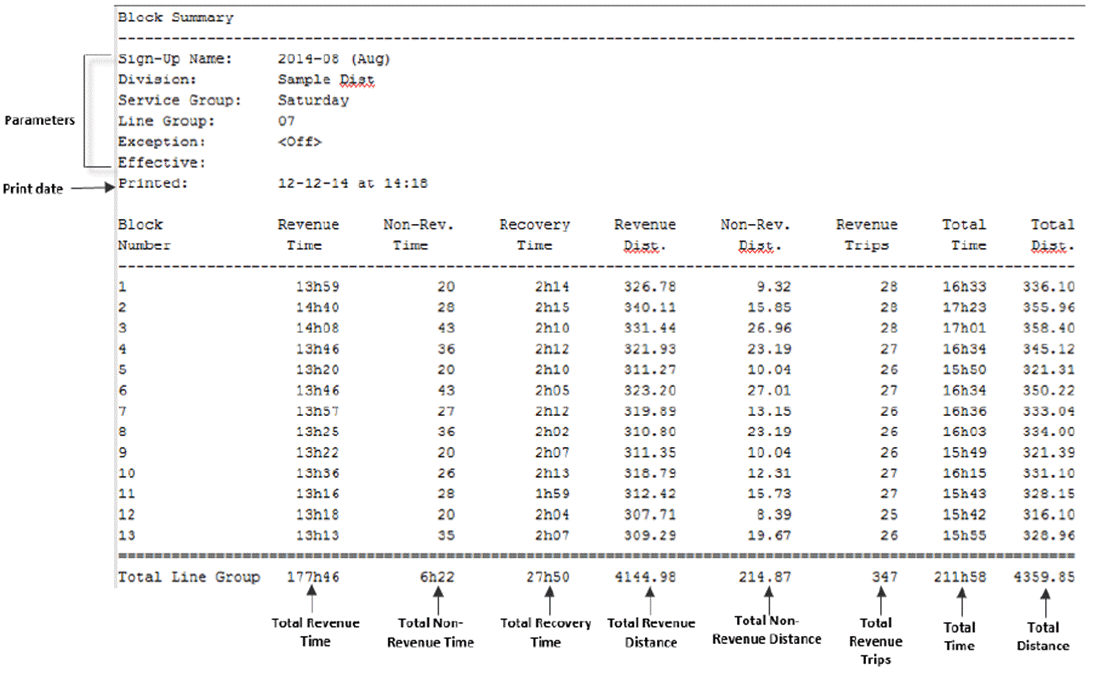
The Block Statistics report provides summary statistics by block for specified lines and services, and sign-up period.
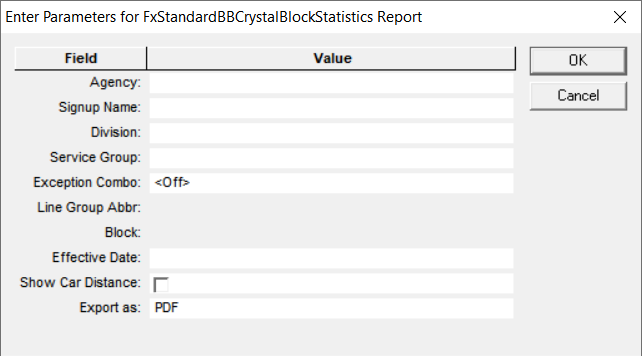
The following graphic shows the Block Statistics report parameters:
| Parameters | Description |
|---|---|
| Agency | Name of transit agency. |
| Signup Name | Name of sign-up period. |
| Division | Division code |
| Service Group | Service Group abbreviation. |
| Exception Combo | Selected exception combination. This is set to <Off> by default. |
| Line Group Abbr. | Abbreviation of the selected line group. This field is enabled after the
Signup Name field is filled in. Note: You must select
only one line group. |
| Block | Block number. This field is enabled after you select the Line Group Abbr. |
| Effective Date | Information related to the period when the report is in effect. Note: This is
a text field. You can enter any piece of data you want to include in the report,
for example, date or name of user. |
| Show Car Distance | If selected, trip distance is multiplied by the number of cars on the rail. |
| Export as | Allows you to select the format type of the report:
|
The following graphic shows an example of a Block Statistics (labeled Block Summary) report: