
Freezing and Unfreezing Runs
While runcutting in BlockBuster Web, you can choose to freeze runs that you do not want the system to alter. BlockBuster Web then cuts the remaining runs leaving the frozen runs unchanged.
Open the Runs screen.
-
Select the runs that you want to freeze.
The footer shows the commands that you can apply to the selected runs.
-
On the footer, click Freeze/Unfreeze:
 The Freeze dialog appears with the list of selected runs.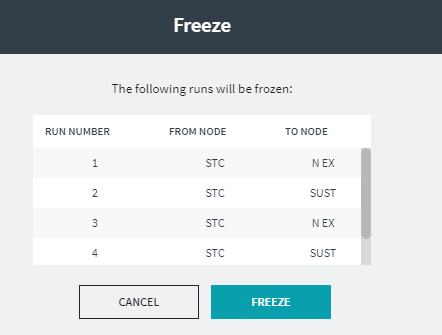
-
Click Freeze.
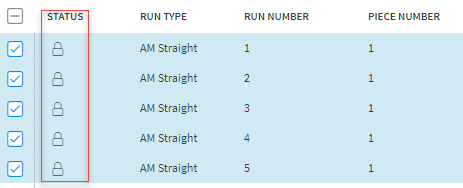
A Lock icon appears on the Status column on each of the selected runs.
-
To unfreeze selected runs, only clear the check boxes of those runs.
The Lock icon is removed from the Status column of these runs and the selected runs appear highlighted.
-
On the footer, click Freeze/Unfreeze:
The Freeze dialog opens again with the list of selected runs.
-
Click Unfreeze.
The selected runs remain highlighted and the Lock icon is removed from their Status field.