
About the Blocking Screen
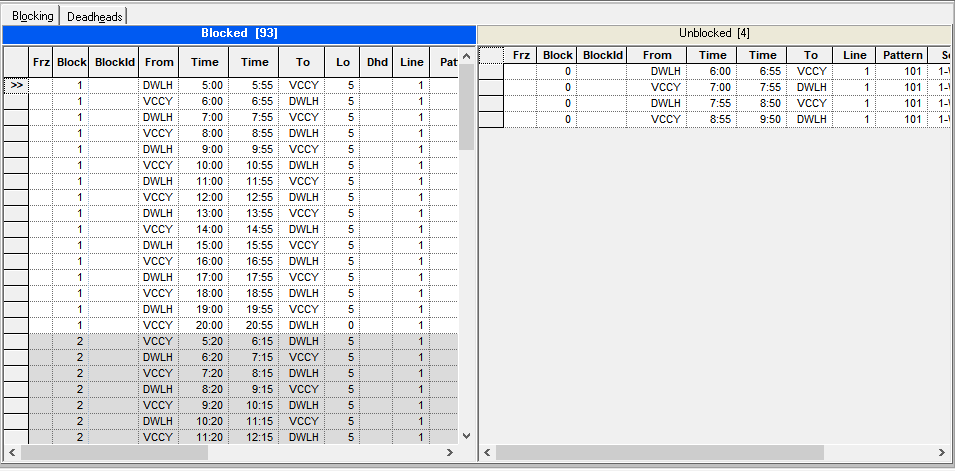
The Blocking screen shows two grids for the Blocked and Unblocked trips by default.
A screen toolbar for each tab also appears under the main toolbar.
The trips with exceptions are highlighted with the same colors as those displayed in the Trips screen.
At the bottom-right of the screen, the Set Mode information is shown such as the sign-up period, service group, line group, and depending on the Exception Combo option you selected, the abbreviation of the exception combination.
To make it easy to distinguish blocks from one another, the blocks are displayed in a zebra pattern: the first block is shown with a white background while the second block has a gray background. This alternating pattern is shown in the succeeding blocks.