
Copying Run Times of Node to Node Pairs
You can copy run times of one node to node pair to another pair.
-
With the Node to Node tab displayed, click or click the Copy button:
 The Copy Node to Node dialog box appears.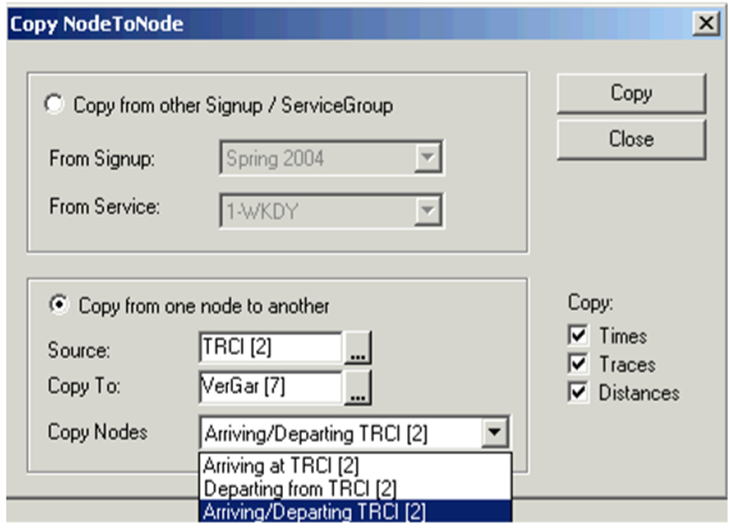
- Optional:
If there are existing node to node pairs similar to the newly
created pairs, a warning message appears informing you of the duplicate node to node
pairs. It also asks if you want to delete them.
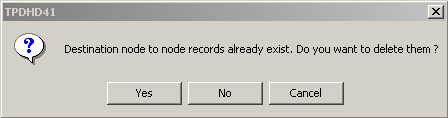 Select one of the following options:
-
Yes: Replaces the duplicate node to node pairs with the newly created node to node pairs.
-
No: Adds the node to node pairs that are not in the grid.
- Cancel: Cancels the process.
-