
Trips Tab
The Trips tab shows the trips of the line you selected in Set Mode. The trips are shown in grids with the patterns, node abbreviations, and vehicle types that are assigned to them.
Trips can only be built after you have created your run time intervals and assigned the run times.
By default, the Trips tab is in single line mode, that is the
Single Line Display button is selected:
To display columns such as Headway or Stop Count in the grids, in the Trip Building menu, click Display Options and select the appropriate options. To remove them from the screen, select them again.
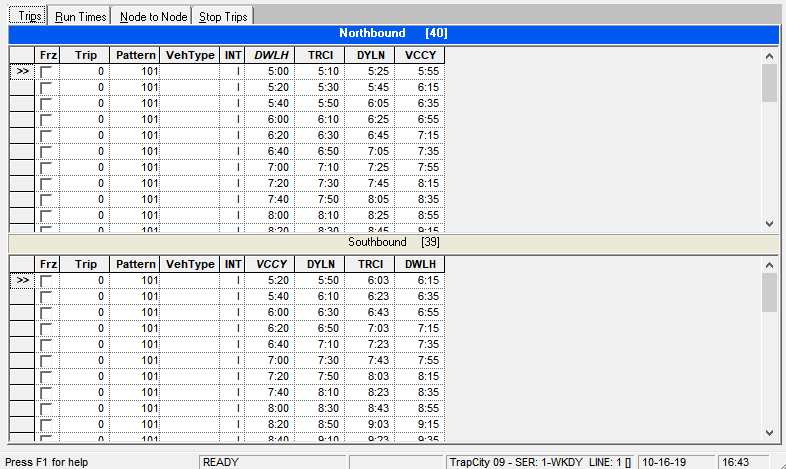
The Trips grids show trip times of the trips by default. The Show Times option is selected by default in the Trip Building menu.
- To view run times, click .
- To view the headways, click .